---
title: "Multi-factor Authentication - Blogs on IT Support and Cybersecurity for Small Business"
description: "Stay informed with Coleman Technologies' blogs, featuring insights on cybersecurity for small business, managed services, and best IT practices. Read on!"
url: "https://colemantechnologies.com/blog/tags/multi-factor-authentication"
date: "2026-06-07T04:01:51+00:00"
language: "en-GB"
---
# Blogs on IT Support and Cybersecurity for Small Business
Insights on cybersecurity, AI, and IT strategy to help business leaders reduce risk, improve performance, and make better technology decisions.
[ Categories ](https://colemantechnologies.com/blog/categories "Categories")
[ Tags ](https://colemantechnologies.com/blog/tags "Tags")
[ Categories: All Categories ](https://colemantechnologies.com/javascript:void(0); "Categories")
Search...Suggested keywords
[ x ](https://colemantechnologies.com/javascript:void(0);)
## [ Multi-factor Authentication ](https://colemantechnologies.com/blog/tags/multi-factor-authentication)
[ Subscribe to this list via RSS ](https://colemantechnologies.com/blog/tags/multi-factor-authentication?format=feed&type=rss "Subscribe to this list via RSS")
[  ](https://colemantechnologies.com/blog/blogger/fredrick-valencia)
## [Session Hijacking and Token Theft Hitting Langley Businesses Bypass Your Login Entirely](https://colemantechnologies.com/blog/session-hijacking-and-token-theft-hitting-langley-businesses)
Monday, 01 June 2026
[Fredrick Valencia](https://colemantechnologies.com/blog/blogger/fredrick-valencia)
[Coleman Technologies Blog](https://colemantechnologies.com/blog/categories/blog) [Cybersecurity](https://colemantechnologies.com/blog/categories/cybersecurity)
[  ](https://colemantechnologies.com/blog/session-hijacking-and-token-theft-hitting-langley-businesses "Untitled-design-1")
Session hijacking and token theft hitting Langley businesses represents a serious and rising threat to small and medium-sized companies. Attackers no longer need your password or your multi-factor authentication code. They steal the digital proof that you already logged in, then walk straight into your accounts as if they were you.
Multi-factor authentication was supposed to be the answer to phishing. For nearly a decade, security teams treated it as the gold standard. Then attackers found a workaround that renders MFA useless for one critical window: after you have already authenticated.
## **What Session Tokens Are and Why Criminals Want Them**
When you log into Microsoft 365, your bank, or your CRM, the application issues you a small piece of data called a session token. Think of it as a digital wristband at a concert. Once you have it, you can move around freely without showing your ID again. Your browser stores it. The application trusts it. Nobody asks you to log in again until it expires.
That convenience is what attackers exploit. If they steal your wristband, the application has no way to tell the difference between you and them. They’re inside, with no password prompt, no MFA challenge, and no alert.
Session hijacking and token theft hitting Langley businesses works because the underlying technology was never designed with this threat in mind. Bearer tokens were built for usability, not for a world where criminals run industrial-scale phishing kits and credential-stealing malware.
## **The Scale of the Problem**
The numbers from the last twelve months should make every business owner stop and pay attention. This isn’t a niche threat affecting a handful of enterprises. It’s mainstream attacker behavior aimed at companies of every size.
- **Identity-based attacks accounted for 60 percent of all Cisco Talos Incident Response cases in 2024**, with attackers using valid credentials, session cookies, and API keys to gain access
- **84 percent of compromised accounts had MFA enabled**, according to Obsidian Security's 2025 SaaS Security Threat Report
- **88 percent of basic web application attacks involved stolen credentials**, according to the 2025 Verizon Data Breach Investigations Report
- **Stolen credentials initiated 22 percent of all confirmed breaches**, the single largest initial access vector in the 2025 Verizon Data Breach Investigations Report
- **Financially motivated threat groups used valid accounts for initial access in 69 percent of ransomware attacks** Cisco Talos responded to in 2024
These statistics share a common thread. MFA is being bypassed at scale, and small and medium-sized businesses are sitting in the middle of the target zone. Limited security budgets, fewer dedicated IT staff, and heavier reliance on cloud platforms like Microsoft 365 make smaller companies attractive targets for attackers who want easy wins.
## **How Criminals Steal Session Tokens**
Token theft is not science fiction. It happens through a small number of well-understood techniques, and attackers have automated nearly all of them.
### **Adversary-in-the-Middle Phishing**
A leading method involves a phishing kit acting as a transparent proxy between you and the real login page. You receive an email that looks legitimate, click the link, and land on what appears to be a Microsoft 365 sign-in screen. After you enter your username, password, and MFA code, the page passes everything to Microsoft in real time, completes the login, and then captures the session token Microsoft sends back. Both you and the attacker log in successfully. Microsoft's 2024 Digital Defense Report identified AiTM phishing and token theft as the attack categories most rapidly displacing traditional password-based attacks, even as Microsoft tracks over 600 million identity attack attempts every day across its customer base.
### **Infostealer Malware**
Some criminals skip phishing entirely. They infect computers with infostealer malware that quietly scrapes saved passwords, browser cookies, and session tokens from every application running on the machine. According to the Huntress 2025 Cyber Threat Report, infostealers accounted for nearly 24 percent of all observed incidents in 2024, making them the single largest threat category Huntress tracked across its endpoint base. Once tokens are harvested, attackers can sell them on dark web marketplaces or use them directly to access company accounts.
### **Malicious Browser Extensions**
A growing technique involves browser extensions that look harmless but read session tokens directly from browser storage. Users install them without reviewing the permissions, and the extension quietly exfiltrates tokens to an attacker-controlled server.
## **Why Multi-Factor Authentication Cannot Save You Alone**
MFA still works. It still blocks the vast majority of credential-stuffing attempts and basic phishing. The problem is that MFA only protects the login event. Once you complete the login, the session token takes over. Anyone holding that token has full access, regardless of how strong your password is or how many factors you used to authenticate.
This is why security professionals now describe the threat as a post-authentication problem. The attack happens after the security controls fire. By the time the attacker uses the stolen token, every alert you would expect to see has already been silenced because, from the application's perspective, you successfully logged in.
Session hijacking and token theft hitting Langley businesses tends to look completely normal in logs until the damage shows up. A finance employee opens a fake invoice email and authenticates through what looks like a Microsoft login page. Three hours later, a wire transfer goes out to a fraudulent vendor. The login event passes every check because it was a legitimate login. Behind it, the session belonged to the attacker.
## **What Small and Medium Businesses Across Langley Can Do**
Defending against session hijacking requires moving beyond password and MFA hygiene. Several specific controls have proven effective at either preventing token theft or detecting it before attackers can act on stolen sessions.
- **Deploy phishing-resistant MFA using FIDO2 or passkeys**, which bind authentication to specific devices and can’t be relayed through proxy phishing kits
- **Enforce conditional access policies** that check device compliance, location, and risk signals on every session, not just at login
- **Shorten session lifetimes** for sensitive applications so stolen tokens expire quickly and force re-authentication
- **Monitor for impossible travel and concurrent session anomalies**, where the same account appears active in two countries within minutes
- **Run endpoint detection and response tools** on every device that touches business data, including remote and personal devices used for work
A managed IT provider running a properly configured Microsoft 365 environment can implement these controls as part of a structured security program. The technical work is well-documented. What is missing in most small and medium businesses is someone with the time and expertise to do it.
## **The Role of Browser and Endpoint Security**
Browsers are where session tokens live, which makes browser security and endpoint protection the front line of defense. Outdated browsers, unmanaged personal devices, and missing patch cycles create the openings attackers need.
A 2025 study of mid-to-large enterprises by cybersecurity firms Hadrian and Passguard found that 64 percent had at least one infostealer infection that resulted in stolen data appearing on the dark web over the prior five years, with an average of 4.5 such infections per organization during 2024. The 2025 Verizon Data Breach Investigations Report found that 46 percent of enterprise-linked devices found in infostealer credential logs were unmanaged machines holding both personal and business credentials. Every one of those infections represents tokens harvested from saved sessions.
Companies that allow employees to use personal laptops and phones for business email face the highest exposure. Without managed endpoint protection on those devices, your business has no visibility into what malware is running on them, what tokens are being scraped, or what credentials have already been stolen.
## **The Local Picture for Companies in the Fraser Valley**
Session hijacking and token theft hitting Langley businesses is not a future threat. It’s happening right now, across every industry your company likely competes in. Legal firms, accounting practices, construction companies, and real estate offices that rely on Microsoft 365 and other cloud platforms all share the same fundamental vulnerability: an authenticated session that can be stolen. Most never know they have been hit until money moves, a client complains, or a ransomware note appears.
The companies that survive this wave are the ones treating identity as the new perimeter. Passwords were the old gate. MFA reinforced it. Session security is the gate behind the gate, and attackers are already past the first two.
Businesses still running with default Microsoft 365 conditional access settings, no phishing-resistant MFA, no endpoint detection on personal devices, and no behavioral monitoring on session activity face significant exposure. Understanding where those gaps exist is the first step toward closing them.
## **Treating Identity as the New Security Perimeter**
Session security represents a fundamental shift in how businesses need to think about defense. For two decades, the security model assumed that strong authentication at the front door would keep attackers out. That model no longer reflects reality. Authentication is one moment in time. Sessions persist for hours or days, and that persistence is what attackers exploit.
Building defense around identity means assuming that any session token could be compromised and designing controls that catch abuse quickly. Continuous verification, short token lifetimes, device posture checks, and behavioral monitoring all serve the same purpose: limiting what an attacker can do with a stolen session before anyone notices.
The businesses making this shift are the ones least likely to wake up to a wire transfer fraud, a ransomware note, or a regulatory disclosure. Defending against the session hijacking and token theft hitting Langley businesses is well-understood work that a capable IT team can plan, prioritize, and execute methodically.
*Sources:*
- *Cisco Talos 2024 Year in Review*
- *Obsidian Security 2025 SaaS Security Threat Report*
- *Microsoft Digital Defense Report (2024)*
- *Verizon 2025 Data Breach Investigations Report*
- *Huntress 2025 Cyber Threat Report*
- *Hadrian and Passguard Infostealer Research (2025)*
Tags:
[Multi-factor Authentication](https://colemantechnologies.com/blog/tags/multi-factor-authentication) [Security](https://colemantechnologies.com/blog/tags/security)
[ Continue reading](https://colemantechnologies.com/blog/session-hijacking-and-token-theft-hitting-langley-businesses)
[  ](https://colemantechnologies.com/blog/blogger/fredrick-valencia)
## [Privileged Access Management for Greater Vancouver Firms: The Keys to Your Kingdom Are in Too Many Hands](https://colemantechnologies.com/blog/privileged-access-management-for-greater-vancouver-firms)
Thursday, 30 April 2026
[Fredrick Valencia](https://colemantechnologies.com/blog/blogger/fredrick-valencia)
[Coleman Technologies Blog](https://colemantechnologies.com/blog/categories/blog) [Administrator](https://colemantechnologies.com/blog/categories/administrator)
[  ](https://colemantechnologies.com/blog/privileged-access-management-for-greater-vancouver-firms "coleman-admin")
Steal an employee's password and a hacker gets a piece of your business. Steal an admin password and they get everything. That distinction is why privileged access management for Greater Vancouver firms is the most important cybersecurity decision your business will make this year.
Most small and medium-sized businesses across the Lower Mainland have no idea who currently holds administrative rights, what those rights unlock, or how many of those accounts belong to people who left months ago. It’s the single most exploited weakness in modern cyberattacks, sitting inside your network right now.
## **What Privileged Access Means Inside Your Business**
A privileged account is any login that can do more than a regular user can. Admin rights to your network, the ability to install software, access to your email tenant's master settings, control over your accounting platform, or the password to your firewall. Anyone holding one of these accounts can change configurations, create new users, disable security tools, or copy entire databases without leaving the obvious trail a normal user would.
In a small business, these accounts multiply quietly. The IT vendor needed admin rights to set up a server. Your office manager got elevated access to handle vendor portals. A former employee was made a domain admin to fix a one-time problem and never had it revoked. A contractor from two years ago still has VPN access nobody disabled.
Each is a key to your kingdom. And right now, you almost certainly have more keys floating around than you realize.
## **Why Attackers Target Privileged Accounts First**
Cybercriminals are economically motivated, and stolen admin credentials are the highest-value target in every breach. The numbers from independent research aren’t subtle.
- According to the Verizon 2025 Data Breach Investigations Report, stolen credentials were the initial access vector in 22% of all breaches analyzed.
- 60% of all breaches involved a human element, including credential misuse and social engineering.
- Privilege misuse appeared in 12% of confirmed data breaches.
An attacker who steals a regular user's credentials gets a small piece of your business. An attacker who steals an admin's credentials gets all of it. This is the single threat that privileged access management for Greater Vancouver firms is built to neutralize.
## **The Privilege Creep Problem Hiding in Your Office**
In every business operating longer than three years, a phenomenon called privilege creep takes hold. An employee starts in one role with specific permissions. They move to a different role and gain new ones. Nobody removes the old ones. Five years later, that person has accumulated access to systems they no longer need, often including admin rights granted for a single project that was never revoked.
Multiply this by every employee, contractor, and vendor your business has worked with over the past decade.
When permissions accumulate without review, the line between a regular employee and an inadvertent insider threat blurs. An employee who never intended harm becomes a high-value target the moment their credentials are stolen, because attackers inherit every right that account has accumulated.
### **The Three Faces of Privilege Creep**
Privilege creep shows up in three predictable patterns inside small and medium-sized businesses across British Columbia.
- **Role transitions without cleanup**: Employees promoted or moved between departments keep old permissions while gaining new ones, creating accounts with excessive access.
- **Project-based grants that never expire**: Temporary admin rights given for a one-time project remain active years later because nobody scheduled the revocation.
- **Shared admin accounts**: Multiple staff use a single administrative login, making it impossible to know who did what or to revoke access when one person leaves.
Each pattern is a separate breach waiting to happen. Together, they describe the standard state of access in most Greater Vancouver businesses without formal privileged access management.
## **The Ghost Accounts You Forgot Existed**
Every employee, contractor, vendor, and consultant who has ever logged into your systems left behind a digital footprint. How many are still active?
Verizon's 2025 DBIR research found that the median daily percentage of credential stuffing attempts against single sign-on providers reached 19% of all authentication attempts, with small businesses facing 12%. If even one dormant admin account has a reused password floating in a breach database, it can be exploited the moment an attacker decides your business is worth ten minutes of effort.
Stale admin access is a problem in every business. The difference is that small and medium-sized businesses rarely have anyone whose actual job is to find and close these accounts before someone else does.
## **What Privileged Access Management Does to Shut This Down**
Privileged access management for Greater Vancouver firms is not one tool. It’s a discipline combining technology, policy, and ongoing review to answer four questions on a rolling basis. Who has elevated access? Why do they have it? When was it last verified? Is it being used appropriately?
Organizations applying just-in-time access, automated credential rotation, and centralized privilege management catch breach attempts faster and limit damage when one occurs. The IBM 2025 Cost of a Data Breach Report identifies credential-based attacks as among the costliest vectors organizations face.
### **Core Functions of a Real PAM Program**
A meaningful program addresses several functions that small and medium-sized businesses rarely handle on their own.
- **Discovery and inventory**: Identifying every privileged account across your network, cloud services, applications, and devices, including service accounts and forgotten admin logins.
- **Just-in-time access**: Granting elevated permissions only when needed, for a defined window, and automatically revoking them when the task is complete.
- **Session monitoring and logging**: Recording what privileged users actually do during elevated sessions, so anomalies can be detected and audited.
- **Credential vaulting**: Storing privileged passwords in an encrypted vault that rotates them automatically and prevents them from being shared in spreadsheets or shared mailboxes.
- **Multi-factor authentication on every privileged account**: Treating MFA as non-negotiable for any login with elevated rights, regardless of how inconvenient it feels.
Most Greater Vancouver businesses have implemented none of these. A small minority have implemented one or two. Almost none have implemented all five as a coordinated program.
## **The Co-Managed IT Reality for Small and Medium Businesses**
If your business has between five and one hundred employees, you can’t maintain a serious privileged access management program with internal staff alone. You don’t have a full-time identity engineer. Your IT person is busy keeping the office running. This is why privileged access management for Greater Vancouver firms is almost always delivered through a co-managed model.
The right managed services provider runs discovery on your environment, surfaces dormant and orphaned accounts, deploys MFA across every privileged login, implements just-in-time access for admin tasks, and puts session logging in place so you have a record of what privileged accounts are doing.
The IBM 2025 Cost of a Data Breach Report found that global breach costs declined 9% year over year, the first decline in five years, driven by faster breach containment powered by AI-driven defenses. Privileged access management is one of the highest-impact areas where this acceleration pays off, because privileged accounts are where attackers live longest before being detected.
## **What Greater Vancouver Firms Should Do This Quarter**
You don’t need to solve everything at once. Start with concrete actions that move your business out of the highest-risk zone.
- **Get an inventory**: Demand a complete list of every account in your business with administrative rights, including in your email platform, your accounting system, your network equipment, your cloud services, and any line-of-business applications.
- **Identify the dormant accounts**: Go through that list and mark every account belonging to a former employee, finished contractor, or completed project. Disable them immediately.
- **Enforce MFA on every remaining privileged account**: No exceptions. Not for the owner, not for the IT vendor, not for the bookkeeper.
- **Review who actually needs admin rights**: For every active privileged account, ask whether the person needs that level of access for their current role. If not, downgrade to standard user rights.
- **Establish a quarterly review**: Privileged access is not a one-time cleanup. Schedule a formal review every ninety days and treat it as a board-level item.
Privileged access management for Greater Vancouver firms is not a technical detail to delegate downward. It’s a governance issue. Your business survives or fails on whether the right people have the right access to the right systems, and whether you can prove it.
## **The Cost of Doing Nothing**
The most expensive position is the one most Greater Vancouver businesses currently occupy. Privileged accounts exist in numbers nobody has counted, held by people nobody has reviewed, protected by passwords nobody has rotated. The Verizon 2025 DBIR confirmed that ransomware appeared in 44% of breaches analyzed, with stolen credentials as the dominant initial access vector.
When that breach happens, the question your insurance provider, your customers, and your regulators will ask is the same. Who had access to this system, and how did they get it? If you can’t answer that with confidence today, you can’t answer it during a crisis either.
The keys to your kingdom are in too many hands. Getting them back into the right hands is not glamorous, and it’s not optional. It’s the single most leveraged cybersecurity decision available to a small or medium-sized business in the Lower Mainland right now.
Coleman Technologies works with Greater Vancouver firms to implement privileged access management as part of a fully managed IT department model. Predictable pricing, complete ownership, and 24/7/365 support that treats your access controls the way an attacker would: as the most valuable thing in your business.
*Sources:*
- *Verizon 2025 Data Breach Investigations Report (full PDF):[ ](https://www.verizon.com/business/resources/T16f/reports/2025-dbir-data-breach-investigations-report.pdf). Verifies 22% stolen credentials initial access (p. 21), 60% human element (p. 20), 12% privilege misuse (cover graphic), and 44% ransomware (p. 10).*
- *Verizon 2025 DBIR Credential Stuffing Research:[ ](https://www.verizon.com/business/resources/articles/credential-stuffing-attacks-2025-dbir-research/). Verifies 19% median daily credential stuffing rate and 12% rate at small businesses.*
- *IBM 2025 Cost of a Data Breach Report (Think analysis):[ ](https://www.ibm.com/think/x-force/2025-cost-of-a-data-breach-navigating-ai). Verifies 9% global breach cost decline driven by AI-powered defenses.*
- *Verizon 2025 DBIR Press Release:[ ](https://www.verizon.com/about/news/2025-data-breach-investigations-report-emea). Supplementary verification of ransomware and third-party involvement figures.*
Tags:
[Security](https://colemantechnologies.com/blog/tags/security) [Multi-factor Authentication](https://colemantechnologies.com/blog/tags/multi-factor-authentication) [Managed IT Services](https://colemantechnologies.com/blog/tags/managed-it-services)
[ Continue reading](https://colemantechnologies.com/blog/privileged-access-management-for-greater-vancouver-firms)
[  ](https://colemantechnologies.com/blog/blogger/darren-coleman)
## [When it Comes to Security, Two Factors are Better Than One](https://colemantechnologies.com/blog/when-it-comes-to-security-two-factors-are-better-than-one)
Friday, 16 September 2022
[Coleman Technologies Admin](https://colemantechnologies.com/blog/blogger/darren-coleman)
[Coleman Technologies Blog](https://colemantechnologies.com/blog/categories/blog) [Security](https://colemantechnologies.com/blog/categories/security)
[  ](https://colemantechnologies.com/blog/when-it-comes-to-security-two-factors-are-better-than-one "step_authentication")
The password isn’t nearly as secure as it used to be. Hackers have begun to take advantage of extremely powerful solutions designed to brute force their way into accounts by using software to rapidly guessing thousands of passwords per second, making it extraordinarily difficult to prepare yourself for them.
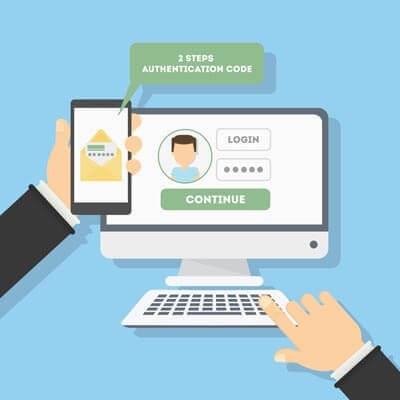
What’s the best way to guarantee that passwords aren’t going to be the downfall of your company? A great start is by taking a close look at password best practices and two-factor authentication.
Tags:
[Security](https://colemantechnologies.com/blog/tags/security) [Two-factor Authentication](https://colemantechnologies.com/blog/tags/two-factor-authentication) [Multi-factor Authentication](https://colemantechnologies.com/blog/tags/multi-factor-authentication)
[ Continue reading](https://colemantechnologies.com/blog/when-it-comes-to-security-two-factors-are-better-than-one)
[ First Page ](https://colemantechnologies.com/javascript:void(0);) [ Previous Page ](https://colemantechnologies.com/javascript:void(0);) [ 1 ](https://colemantechnologies.com/javascript:void(0);) [ Next Page ](https://colemantechnologies.com/javascript:void(0);) [ Last Page ](https://colemantechnologies.com/javascript:void(0);)
## Schema
```json
{
"@context": "https://schema.org",
"@type": "BreadcrumbList",
"itemListElement": [
{
"@type": "ListItem",
"position": 1,
"name": "Home",
"item": "https://colemantechnologies.com"
},
{
"@type": "ListItem",
"position": 2,
"name": "Blog",
"item": "https://colemantechnologies.com/blog"
},
{
"@type": "ListItem",
"position": 3,
"name": "Tags",
"item": "https://colemantechnologies.com/blog/tags"
},
{
"@type": "ListItem",
"position": 4,
"name": "Multi-factor Authentication",
"item": "https://colemantechnologies.com/blog/tags/multi-factor-authentication"
}
]
}
```